Social Media Content Calendar Guide: Plan, Schedule, and Grow Your Content
Social media moves at the speed of light. Brands, businesses, and individuals who work with social media are expected to consistently post content and engage with their followers.
It is easy to miss opportunities or find themselves struggling to think of content ideas for their social media platforms. This is where a social media content calendar becomes valuable. A content calendar will help you to organize your content and schedule it to be published while ensuring your social media marketing efforts are more effective.
Regardless of whether you are managing one or several social media accounts, a content calendar will help you to plan for your social media presence and save you time.
What Is a Social Media Content Calendar?
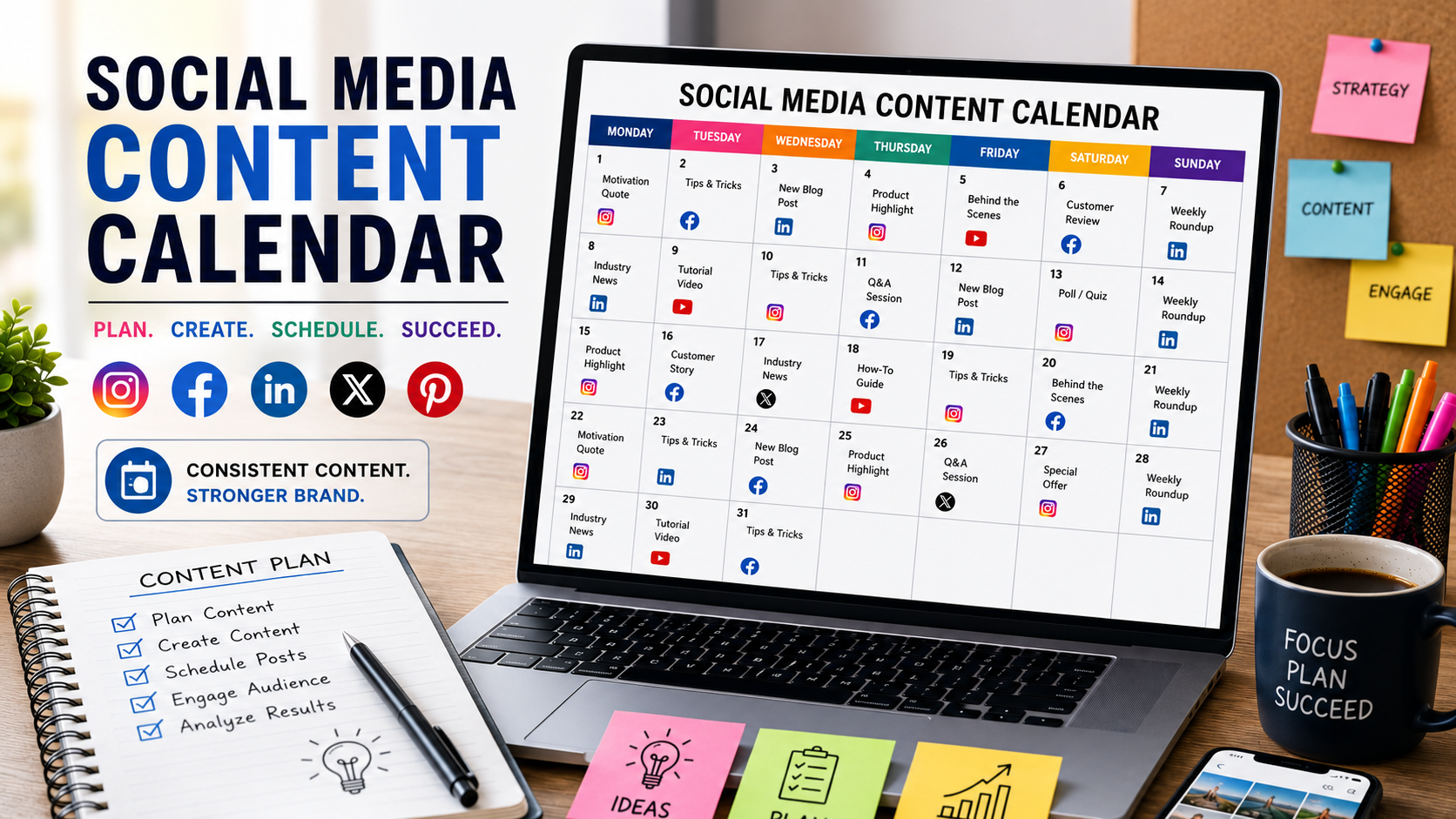
A social media content calendar is a tool that will allow you to plan your upcoming social media posts. It is used to plan the content you will publish on your platforms and the dates on which you will publish it.
Content calendars can take the form of spreadsheets or software tools. They will allow you to plan your content and give you an idea of which platforms you will publish on what content and when.
A social media content calendar can include the following features:
- Date on which the content will be published
- Social media platforms
- Content topics
- Captions for the content
- Hashtags for the content
- Images or videos to accompany your content
- Campaign details
- Notes for tracking the performance of your content
Social media marketers use content calendars to plan their content several months in advance.
Why Every Business Needs a Content Calendar
Many businesses that operate on social media find it difficult to make time to publish content. Consequently, they only publish content on the days they have time.
This is when a social media content calendar becomes important for businesses as it will provide several benefits.
- Improve consistency
It will improve the consistency of your social media content. One of the most important factors in social media success is consistency. By having a content calendar and a publishing schedule for your content, you will find it easier to ensure that you are publishing content regularly. - Save time
Creating content for social media every day can be stressful. However, by having a content calendar, you can plan and create several posts for your social media pages. You can then schedule these posts to be published at a later date. - Support business goals
You can use your content calendar to plan your content with your business goals in mind. Every social media post should contribute to a specific goal for your business on social media. Using the content calendar to plan your posts will ensure that your content contributes to your social media marketing goals. - Reduce last-minute pressure
By having a content calendar, you will find it easier to prepare your content without the last-minute pressure of having to create content before it is scheduled to be published on social media. You can prepare and plan your content, giving your content the quality that your business requires.
Understanding a Social Media Editorial Calendar
A social media editorial calendar takes a look at the bigger picture for your content. While your social media content calendar will show you the dates on which you will publish your content, your editorial calendar will show you the high-level goals for your content.
For instance, your editorial calendar can allow you to plan your content around your business goals. A social media content calendar can also show you the different content topics you will be covering on social media this month.
Your editorial calendar can help you to determine your content themes. It can assist in determining your campaign goals. You can use this calendar to determine your target audiences. You can use your editorial calendar for planning your content formats.
Your editorial calendar allows you to plan your content around the events occurring in your industry or that may happen this year.
For instance, a fitness brand may use their editorial calendar to plan content for these months:
- January: Create content around new year fitness goals
- February: Plan content around heart health awareness
- March: Create content around spring fitness plans
Key Elements of an Effective Content Calendar
A social media content calendar can have several different elements. The most important elements for your content calendar are as follows:
Content Topics
List the topics for your content that you will publish on your social media platforms.
Some examples of content topics are as follows:
- Educational content
- Product content
- Customer content
- Industry news
- Behind the scenes content
- Promotional content
Social Media Posting Schedule
Your social media posting schedule will show the dates and the times on which you will publish content on your social media platforms.
The posting schedule can differ based on your target audiences.
Content Format
You have several options for the format of your social media content.
Some of the content formats that work best on social media are:
- Images
- Videos
- Reels
- Stories
- Carousels
- Polls
- Infographics
Social media platforms allow for several formats for the content you publish. Choosing the best format will allow your content to garner more likes, comments, and shares.
Social Media Platforms
You can publish your content on as many social media platforms as you want.
A content calendar will show you which platforms will feature which content.
Some of the most popular social media platforms are:
- X (Twitter)
- YouTube
Performance Tracking
Lastly, your social media content calendar should feature a performance tracking tool.
This will allow you to monitor the performance of your content.
For instance, you can use your content calendar to track the following:
- Number of people who viewed your content (reach)
- Number of engagements with your content (likes, comments, shares)
- Number of clicks on your content (calls to action)
- Number of conversions resulting from your content
How to Create a Social Media Calendar
Many social media marketers ask the question of how to create an efficient social media content calendar.
There are a few steps that you can follow to create your social media content calendar.
Step 1: Define Your Social Media Goals
Your first task is to determine what you want to accomplish on social media.
Some common social media goals are:
- Increase the number of followers on social media accounts
- Publish content that increases the number of visitors to your website
- Publish content that will generate leads for your products or services
- Increase the number of likes, comments, and shares on social media
- Promote the products and services that you offer to your customers
Step 2: Understand Your Audience
To create content that engages your audience, you must understand who your audience is.
When planning your content, think about the following questions:
- What problems exist for your audience?
- What types of content do your audience enjoy seeing on social media?
- Which social media platforms does your audience use the most?
- When are your audiences active on social media?
Step 3: Choose Content Categories
Decide on the type of content that you will publish on your social media platforms.
Some examples of content categories are:
- Educational content
- Inspirational content
- Promotional content
- User-generated content
- Entertaining content
Step 4: Plan Content for Each Month
Create content themes for each month to simplify the content planning process.
For instance, content themes for each month could be:
- Week 1: Industry tips
- Week 2: Customer success stories
- Week 3: Product features
- Week 4: Audience engagement content
Step 5: Create and Organize Content
Now that you have planned your content, create the content that will be published on your social media platforms.
Create the captions, graphics, videos, and hashtags for your content.
Store all of the content in one place that you can access to publish it on your social media accounts.
Step 6: Schedule Your Content
Lastly, schedule your content that you have created to be published on your social media platforms.
You can use scheduling software to do this.
Using a Media Calendar Template
A media calendar template can help you to plan your content for social media.
A media calendar template can include the following features:
- Date on which content will be published
- Social media platforms
- Content topics
- Content format
- Content status (published, scheduled, editing, draft)
For instance, your media calendar template can include the following content:
| Date | June 1 |
| Platform | |
| Content Topic | Product Tip |
| Format | Reel |
| Status | Scheduled |
| Date | June 3 |
| Platform | |
| Content Topic | Customer Story |
| Format | Image |
| Status | Published |
| Date | June 5 |
| Platform | |
| Content Topic | Industry News |
| Format | Article |
| Status | Draft |
These templates can help you to remain organized in your content planning process.
Additionally, team members can use the content calendar template to contribute to your content planning.
Businesses can also edit the media calendar template to suit their social media marketing goals.
Common Content Types to Include in Your Content Calendar
When preparing your content for social media, there are several different types of content that you should include.
Educational Content
One of the most important types of content to feature on your social media platforms is educational content.
By sharing knowledge and information with your audience, you will build trust and your brand authority.
Some examples of educational content are as follows:
- Tips for your customers
- How-to videos for your products
- Industry news and industry trends
- Webinars
Promotional Content
Publishing promotional content will help to highlight your products and services.
Examples of promotional content are as follows:
- Product launches
- Discount campaigns
- Special offers
- Event announcements
User-Generated Content
User-generated content is content that is shared by your customers on social media.
By sharing your customers’ content, you will be able to showcase your products in use and gain credibility with your audience.
Examples of user-generated content are as follows:
- Customer reviews
- Customer success stories
- Customer social media posts
- User-submitted social media videos
Behind-the-Scenes Content
Publishing behind-the-scenes content allows your audience to connect with your brand on a more personal level.
Examples of behind-the-scenes content are as follows:
- Team social media posts
- Behind the scenes of creating your products
- Behind the scenes of your office or company
- Team events
Benefits of Social Media Scheduling Tools
A social media scheduling tool will allow you to automate the publishing of your content on social media platforms.
Benefits of using a social media publishing tool include:
- Better time management
- More consistent content publishing on social media platforms
- Improved team collaboration
- Fewer errors in publishing content
Best Tool to Schedule Social Media Posts
Depending on your requirements, several social media publishing tools will help to manage your social media accounts.
Hootsuite
Hootsuite is a tool that will allow your team to schedule content, monitor mentions of your brand, analyze your content, and collaborate on your content.
Best for:
- Marketing agencies
- Large companies
- Small and medium sized companies
Buffer
Buffer allows teams to easily schedule content for different platforms and collaboratively create content for publication.
Best for:
- Small businesses
- Social media managers
- Content creators
Sprout Social
Sprout Social is a social media tool that will give you analytics and customer engagement tools to monitor your brands’ performance on social media.
Best for:
- Growing brands
- Marketing teams
Later
Later allows teams to easily create and schedule visual content such as Reels and stories to highlight brand features.
Best for:
- Reel content creators
- E-commerce brands
Meta Business Suite
Meta Business Suite allows teams to schedule content to be published on their Facebook and Instagram social media platforms for free.
Best for:
- Small businesses
- Marketers on a budget
Instagram Scheduling Tips
Many brands use an Instagram post scheduler to manage the content that gets published on their Instagram accounts.
Some Instagram scheduling tips are:
- Schedule your content at least one week in advance
- Use a mix of Instagram Reels, stories, and carousel posts
- Monitor the performance of your content regularly
- Edit the captions of your content before it gets published to reflect any social media trends
- Ensure that your brand’s content features consistent visual branding
Common Mistakes to Avoid When Using a Content Calendar
Even experienced marketers may make several mistakes when using a content calendar.
One of the most common mistakes is to create a content calendar without a strategy for publishing the content.
You should never ignore the analytics from your social media accounts.
Creating too much promotional content for your social media platforms.
You should not neglect to update your content calendar to reflect any changes in the industry or your brand’s focus areas.
Final Thoughts
A social media content calendar is one of the most important marketing tools available to your business.
Using a content calendar will keep you organized, allow you to consistently publish content on your social media platforms, and give you the tools to create content that supports your business goals.
Depending on the size of your business and the complexity of your content, you can use a simple media calendar template or a more detailed social media editorial calendar.
Additionally, depending on your content and branding needs, there are several content calendars and scheduling tools available to assist you in managing your content.
Start with a media calendar template and work your way to creating a robust social media posting schedule with the best social media scheduling tools.
By implementing the advice in this article, your social media accounts will be more organized, efficient, and effective in creating and scheduling your brand’s content for maximum impact on your target market.